
Telecom Services
S
Sasikumar
Updated
May 10, 2018
540 0 0 0
Service Information
Service Type
Select appropriate service type from the list. You can select more than one service type.
Service Provider
Select service provider from the list or enter a new service provider that is not listed using 'Add' button. Once you add a service provider, it'll be listed as an option to select in the drop down.
Service Package/Plan
Enter the package or plan of the service provider that you have used and want to review. Type for suggestions if the service plan you want to review was already added by someone, which you can select and review for your location.
To add a new service plan, type the plan details in the box and click 'Add' button. It will be added below the box and highlighted as 'selected' in black. Selected option will be highlighted only below the box in black, which will not be directly displayed inside box.
199
Service Provider/Plan Link
Enter the URL of the service provider web site or to the web page of the service plan starting with http.
Cleartalking Q&A
Location (Service or Device used)
Country
Enter the country in which service was used.
State, Province or Region
Enter the State, Province or Region in which the service is used. Type for suggestions if the state you want to enter was already added by someone.To add a new state or province, type the name in the box and click 'Add' button. It will be added below the box and highlighted as 'selected' in black. Selected State/Province/ Region will be highlighted only below the box in black, which will not be directly displayed inside box.
City/Town/Village
Enter the city, town or village in which the service is used. Type for suggestions if the city you want to enter was already added by someone.
To add a new city, type the city name in the box and click 'Add' button. It will be added below the box and highlighted as 'selected' in black. Selected city will be highlighted only below the box in black, which will not be directly displayed inside box.
Location
Enter only the nearest major intersection, road, or landmark where the reviewed service is used. DON'T enter postal mailing address. Post will not be approved if the actual address is entered. CLICK the current location symbol at the end of the text box to enter your current location.
Postal Code
Telecom Services
D
danyhardianto
Updated
May 09, 2018
763 0 6 0
Service Information
Service Type
Select appropriate service type from the list. You can select more than one service type.
Service Provider
Select service provider from the list or enter a new service provider that is not listed using 'Add' button. Once you add a service provider, it'll be listed as an option to select in the drop down.
Service Package/Plan
Enter the package or plan of the service provider that you have used and want to review. Type for suggestions if the service plan you want to review was already added by someone, which you can select and review for your location.
To add a new service plan, type the plan details in the box and click 'Add' button. It will be added below the box and highlighted as 'selected' in black. Selected option will be highlighted only below the box in black, which will not be directly displayed inside box.
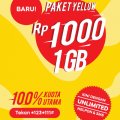
indosat yellow
Service Provider/Plan Link
Enter the URL of the service provider web site or to the web page of the service plan starting with http.
Cleartalking Q&A
Location (Service or Device used)
Country
Enter the country in which service was used.
State, Province or Region
Enter the State, Province or Region in which the service is used. Type for suggestions if the state you want to enter was already added by someone.To add a new state or province, type the name in the box and click 'Add' button. It will be added below the box and highlighted as 'selected' in black. Selected State/Province/ Region will be highlighted only below the box in black, which will not be directly displayed inside box.
City/Town/Village
Enter the city, town or village in which the service is used. Type for suggestions if the city you want to enter was already added by someone.
To add a new city, type the city name in the box and click 'Add' button. It will be added below the box and highlighted as 'selected' in black. Selected city will be highlighted only below the box in black, which will not be directly displayed inside box.
Location
Enter only the nearest major intersection, road, or landmark where the reviewed service is used. DON'T enter postal mailing address. Post will not be approved if the actual address is entered. CLICK the current location symbol at the end of the text box to enter your current location.
Postal Code
Telecom Services
D
danyhardianto
Updated
May 10, 2018
672 0 0 0
Service Information
Service Type
Select appropriate service type from the list. You can select more than one service type.
Service Provider
Select service provider from the list or enter a new service provider that is not listed using 'Add' button. Once you add a service provider, it'll be listed as an option to select in the drop down.
Service Package/Plan
Enter the package or plan of the service provider that you have used and want to review. Type for suggestions if the service plan you want to review was already added by someone, which you can select and review for your location.
To add a new service plan, type the plan details in the box and click 'Add' button. It will be added below the box and highlighted as 'selected' in black. Selected option will be highlighted only below the box in black, which will not be directly displayed inside box.
indosat yellow
Service Provider/Plan Link
Enter the URL of the service provider web site or to the web page of the service plan starting with http.
Cleartalking Q&A
Location (Service or Device used)
Country
Enter the country in which service was used.
State, Province or Region
Enter the State, Province or Region in which the service is used. Type for suggestions if the state you want to enter was already added by someone.To add a new state or province, type the name in the box and click 'Add' button. It will be added below the box and highlighted as 'selected' in black. Selected State/Province/ Region will be highlighted only below the box in black, which will not be directly displayed inside box.
City/Town/Village
Enter the city, town or village in which the service is used. Type for suggestions if the city you want to enter was already added by someone.
To add a new city, type the city name in the box and click 'Add' button. It will be added below the box and highlighted as 'selected' in black. Selected city will be highlighted only below the box in black, which will not be directly displayed inside box.
Location
Enter only the nearest major intersection, road, or landmark where the reviewed service is used. DON'T enter postal mailing address. Post will not be approved if the actual address is entered. CLICK the current location symbol at the end of the text box to enter your current location.
Postal Code
Telecom Services
AO
AJAYI-WALDORF, olatu
Updated
September 19, 2022
922 0 0 0
Service Information
Service Type
Select appropriate service type from the list. You can select more than one service type.
Service Provider
Select service provider from the list or enter a new service provider that is not listed using 'Add' button. Once you add a service provider, it'll be listed as an option to select in the drop down.
Service Package/Plan
Enter the package or plan of the service provider that you have used and want to review. Type for suggestions if the service plan you want to review was already added by someone, which you can select and review for your location.
To add a new service plan, type the plan details in the box and click 'Add' button. It will be added below the box and highlighted as 'selected' in black. Selected option will be highlighted only below the box in black, which will not be directly displayed inside box.
N1000
Cleartalking Q&A
Location (Service or Device used)
Country
Enter the country in which service was used.
State, Province or Region
Enter the State, Province or Region in which the service is used. Type for suggestions if the state you want to enter was already added by someone.To add a new state or province, type the name in the box and click 'Add' button. It will be added below the box and highlighted as 'selected' in black. Selected State/Province/ Region will be highlighted only below the box in black, which will not be directly displayed inside box.
City/Town/Village
Enter the city, town or village in which the service is used. Type for suggestions if the city you want to enter was already added by someone.
To add a new city, type the city name in the box and click 'Add' button. It will be added below the box and highlighted as 'selected' in black. Selected city will be highlighted only below the box in black, which will not be directly displayed inside box.
Location
Enter only the nearest major intersection, road, or landmark where the reviewed service is used. DON'T enter postal mailing address. Post will not be approved if the actual address is entered. CLICK the current location symbol at the end of the text box to enter your current location.
Postal Code
Telecom Services
K
KaliAfrik
Updated
September 26, 2022
5157 0 1 0
Service Information
Service Type
Select appropriate service type from the list. You can select more than one service type.
Service Provider
Select service provider from the list or enter a new service provider that is not listed using 'Add' button. Once you add a service provider, it'll be listed as an option to select in the drop down.
Service Package/Plan
Enter the package or plan of the service provider that you have used and want to review. Type for suggestions if the service plan you want to review was already added by someone, which you can select and review for your location.
To add a new service plan, type the plan details in the box and click 'Add' button. It will be added below the box and highlighted as 'selected' in black. Selected option will be highlighted only below the box in black, which will not be directly displayed inside box.
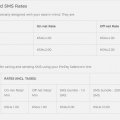
uwezo tarrif
Service Provider/Plan Link
Enter the URL of the service provider web site or to the web page of the service plan starting with http.
Cleartalking Q&A
Location (Service or Device used)
Country
Enter the country in which service was used.
State, Province or Region
Enter the State, Province or Region in which the service is used. Type for suggestions if the state you want to enter was already added by someone.To add a new state or province, type the name in the box and click 'Add' button. It will be added below the box and highlighted as 'selected' in black. Selected State/Province/ Region will be highlighted only below the box in black, which will not be directly displayed inside box.
City/Town/Village
Enter the city, town or village in which the service is used. Type for suggestions if the city you want to enter was already added by someone.
To add a new city, type the city name in the box and click 'Add' button. It will be added below the box and highlighted as 'selected' in black. Selected city will be highlighted only below the box in black, which will not be directly displayed inside box.
Location
Enter only the nearest major intersection, road, or landmark where the reviewed service is used. DON'T enter postal mailing address. Post will not be approved if the actual address is entered. CLICK the current location symbol at the end of the text box to enter your current location.
Postal Code
Telecom Services
R
Rebecca499
Updated
May 09, 2018
688 0 0 0
Service Information
Service Type
Select appropriate service type from the list. You can select more than one service type.
Service Provider
Select service provider from the list or enter a new service provider that is not listed using 'Add' button. Once you add a service provider, it'll be listed as an option to select in the drop down.
Service Package/Plan
Enter the package or plan of the service provider that you have used and want to review. Type for suggestions if the service plan you want to review was already added by someone, which you can select and review for your location.
To add a new service plan, type the plan details in the box and click 'Add' button. It will be added below the box and highlighted as 'selected' in black. Selected option will be highlighted only below the box in black, which will not be directly displayed inside box.
3 days
Cleartalking Q&A
Location (Service or Device used)
Country
Enter the country in which service was used.
State, Province or Region
Enter the State, Province or Region in which the service is used. Type for suggestions if the state you want to enter was already added by someone.To add a new state or province, type the name in the box and click 'Add' button. It will be added below the box and highlighted as 'selected' in black. Selected State/Province/ Region will be highlighted only below the box in black, which will not be directly displayed inside box.
City/Town/Village
Enter the city, town or village in which the service is used. Type for suggestions if the city you want to enter was already added by someone.
To add a new city, type the city name in the box and click 'Add' button. It will be added below the box and highlighted as 'selected' in black. Selected city will be highlighted only below the box in black, which will not be directly displayed inside box.
Postal Code
Telecom Services
T
tono
Updated
May 09, 2018
709 0 0 0
Service Information
Service Type
Select appropriate service type from the list. You can select more than one service type.
Service Provider
Select service provider from the list or enter a new service provider that is not listed using 'Add' button. Once you add a service provider, it'll be listed as an option to select in the drop down.
Service Package/Plan
Enter the package or plan of the service provider that you have used and want to review. Type for suggestions if the service plan you want to review was already added by someone, which you can select and review for your location.
To add a new service plan, type the plan details in the box and click 'Add' button. It will be added below the box and highlighted as 'selected' in black. Selected option will be highlighted only below the box in black, which will not be directly displayed inside box.
Monthly plan
Service Provider/Plan Link
Enter the URL of the service provider web site or to the web page of the service plan starting with http.
Cleartalking Q&A
Location (Service or Device used)
Country
Enter the country in which service was used.
State, Province or Region
Enter the State, Province or Region in which the service is used. Type for suggestions if the state you want to enter was already added by someone.To add a new state or province, type the name in the box and click 'Add' button. It will be added below the box and highlighted as 'selected' in black. Selected State/Province/ Region will be highlighted only below the box in black, which will not be directly displayed inside box.
City/Town/Village
Enter the city, town or village in which the service is used. Type for suggestions if the city you want to enter was already added by someone.
To add a new city, type the city name in the box and click 'Add' button. It will be added below the box and highlighted as 'selected' in black. Selected city will be highlighted only below the box in black, which will not be directly displayed inside box.
Postal Code
Telecom Services
B
bunyadin
Updated
May 21, 2018
707 0 1 0
Service Information
Service Type
Select appropriate service type from the list. You can select more than one service type.
Service Provider
Select service provider from the list or enter a new service provider that is not listed using 'Add' button. Once you add a service provider, it'll be listed as an option to select in the drop down.
Service Package/Plan
Enter the package or plan of the service provider that you have used and want to review. Type for suggestions if the service plan you want to review was already added by someone, which you can select and review for your location.
To add a new service plan, type the plan details in the box and click 'Add' button. It will be added below the box and highlighted as 'selected' in black. Selected option will be highlighted only below the box in black, which will not be directly displayed inside box.
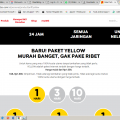
indosat yellow
Service Provider/Plan Link
Enter the URL of the service provider web site or to the web page of the service plan starting with http.
Cleartalking Q&A
Location (Service or Device used)
Country
Enter the country in which service was used.
State, Province or Region
Enter the State, Province or Region in which the service is used. Type for suggestions if the state you want to enter was already added by someone.To add a new state or province, type the name in the box and click 'Add' button. It will be added below the box and highlighted as 'selected' in black. Selected State/Province/ Region will be highlighted only below the box in black, which will not be directly displayed inside box.
City/Town/Village
Enter the city, town or village in which the service is used. Type for suggestions if the city you want to enter was already added by someone.
To add a new city, type the city name in the box and click 'Add' button. It will be added below the box and highlighted as 'selected' in black. Selected city will be highlighted only below the box in black, which will not be directly displayed inside box.
Location
Enter only the nearest major intersection, road, or landmark where the reviewed service is used. DON'T enter postal mailing address. Post will not be approved if the actual address is entered. CLICK the current location symbol at the end of the text box to enter your current location.
Postal Code
Telecom Services
E
evans92
Updated
May 07, 2018
578 0 0 0
Service Information
Service Type
Select appropriate service type from the list. You can select more than one service type.
Service Provider
Select service provider from the list or enter a new service provider that is not listed using 'Add' button. Once you add a service provider, it'll be listed as an option to select in the drop down.
Service Package/Plan
Enter the package or plan of the service provider that you have used and want to review. Type for suggestions if the service plan you want to review was already added by someone, which you can select and review for your location.
To add a new service plan, type the plan details in the box and click 'Add' button. It will be added below the box and highlighted as 'selected' in black. Selected option will be highlighted only below the box in black, which will not be directly displayed inside box.
Monthly plan
Service Provider/Plan Link
Enter the URL of the service provider web site or to the web page of the service plan starting with http.
Cleartalking Q&A
Location (Service or Device used)
Country
Enter the country in which service was used.
State, Province or Region
Enter the State, Province or Region in which the service is used. Type for suggestions if the state you want to enter was already added by someone.To add a new state or province, type the name in the box and click 'Add' button. It will be added below the box and highlighted as 'selected' in black. Selected State/Province/ Region will be highlighted only below the box in black, which will not be directly displayed inside box.
City/Town/Village
Enter the city, town or village in which the service is used. Type for suggestions if the city you want to enter was already added by someone.
To add a new city, type the city name in the box and click 'Add' button. It will be added below the box and highlighted as 'selected' in black. Selected city will be highlighted only below the box in black, which will not be directly displayed inside box.
Location
Enter only the nearest major intersection, road, or landmark where the reviewed service is used. DON'T enter postal mailing address. Post will not be approved if the actual address is entered. CLICK the current location symbol at the end of the text box to enter your current location.
Postal Code
Telecom Services
NW
Newton Williams
Updated
May 07, 2018
630 0 0 0
Service Information
Service Type
Select appropriate service type from the list. You can select more than one service type.
Service Provider
Select service provider from the list or enter a new service provider that is not listed using 'Add' button. Once you add a service provider, it'll be listed as an option to select in the drop down.
Service Package/Plan
Enter the package or plan of the service provider that you have used and want to review. Type for suggestions if the service plan you want to review was already added by someone, which you can select and review for your location.
To add a new service plan, type the plan details in the box and click 'Add' button. It will be added below the box and highlighted as 'selected' in black. Selected option will be highlighted only below the box in black, which will not be directly displayed inside box.
4 GB 350taka 30 Days
Service Provider/Plan Link
Enter the URL of the service provider web site or to the web page of the service plan starting with http.
Cleartalking Q&A
Location (Service or Device used)
Country
Enter the country in which service was used.
State, Province or Region
Enter the State, Province or Region in which the service is used. Type for suggestions if the state you want to enter was already added by someone.To add a new state or province, type the name in the box and click 'Add' button. It will be added below the box and highlighted as 'selected' in black. Selected State/Province/ Region will be highlighted only below the box in black, which will not be directly displayed inside box.
City/Town/Village
Enter the city, town or village in which the service is used. Type for suggestions if the city you want to enter was already added by someone.
To add a new city, type the city name in the box and click 'Add' button. It will be added below the box and highlighted as 'selected' in black. Selected city will be highlighted only below the box in black, which will not be directly displayed inside box.
Postal Code
Telecom Services
U
uttom777
Updated
May 07, 2018
671 0 0 0
Service Information
Service Type
Select appropriate service type from the list. You can select more than one service type.
Service Provider
Select service provider from the list or enter a new service provider that is not listed using 'Add' button. Once you add a service provider, it'll be listed as an option to select in the drop down.
Service Package/Plan
Enter the package or plan of the service provider that you have used and want to review. Type for suggestions if the service plan you want to review was already added by someone, which you can select and review for your location.
To add a new service plan, type the plan details in the box and click 'Add' button. It will be added below the box and highlighted as 'selected' in black. Selected option will be highlighted only below the box in black, which will not be directly displayed inside box.
1.5GB for 30 days @ tk. 209 (including all taxes)
Service Provider/Plan Link
Enter the URL of the service provider web site or to the web page of the service plan starting with http.
Cleartalking Q&A
Location (Service or Device used)
Country
Enter the country in which service was used.
State, Province or Region
Enter the State, Province or Region in which the service is used. Type for suggestions if the state you want to enter was already added by someone.To add a new state or province, type the name in the box and click 'Add' button. It will be added below the box and highlighted as 'selected' in black. Selected State/Province/ Region will be highlighted only below the box in black, which will not be directly displayed inside box.
City/Town/Village
Enter the city, town or village in which the service is used. Type for suggestions if the city you want to enter was already added by someone.
To add a new city, type the city name in the box and click 'Add' button. It will be added below the box and highlighted as 'selected' in black. Selected city will be highlighted only below the box in black, which will not be directly displayed inside box.
Location
Enter only the nearest major intersection, road, or landmark where the reviewed service is used. DON'T enter postal mailing address. Post will not be approved if the actual address is entered. CLICK the current location symbol at the end of the text box to enter your current location.
Postal Code
Telecom Services
S
sonyaj153@gmail.com
Updated
May 07, 2018
1010 0 0 0
Service Information
Service Type
Select appropriate service type from the list. You can select more than one service type.
Service Provider
Select service provider from the list or enter a new service provider that is not listed using 'Add' button. Once you add a service provider, it'll be listed as an option to select in the drop down.
Service Package/Plan
Enter the package or plan of the service provider that you have used and want to review. Type for suggestions if the service plan you want to review was already added by someone, which you can select and review for your location.
To add a new service plan, type the plan details in the box and click 'Add' button. It will be added below the box and highlighted as 'selected' in black. Selected option will be highlighted only below the box in black, which will not be directly displayed inside box.
139
Service Provider/Plan Link
Enter the URL of the service provider web site or to the web page of the service plan starting with http.
Cleartalking Q&A
Location (Service or Device used)
Country
Enter the country in which service was used.
State, Province or Region
Enter the State, Province or Region in which the service is used. Type for suggestions if the state you want to enter was already added by someone.To add a new state or province, type the name in the box and click 'Add' button. It will be added below the box and highlighted as 'selected' in black. Selected State/Province/ Region will be highlighted only below the box in black, which will not be directly displayed inside box.
City/Town/Village
Enter the city, town or village in which the service is used. Type for suggestions if the city you want to enter was already added by someone.
To add a new city, type the city name in the box and click 'Add' button. It will be added below the box and highlighted as 'selected' in black. Selected city will be highlighted only below the box in black, which will not be directly displayed inside box.
Location
Enter only the nearest major intersection, road, or landmark where the reviewed service is used. DON'T enter postal mailing address. Post will not be approved if the actual address is entered. CLICK the current location symbol at the end of the text box to enter your current location.
Postal Code
Telecom Services
R
rizvikaleeel
Updated
September 25, 2022
2539 0 0 0
Service Information
Service Type
Select appropriate service type from the list. You can select more than one service type.
Service Provider
Select service provider from the list or enter a new service provider that is not listed using 'Add' button. Once you add a service provider, it'll be listed as an option to select in the drop down.
Service Package/Plan
Enter the package or plan of the service provider that you have used and want to review. Type for suggestions if the service plan you want to review was already added by someone, which you can select and review for your location.
To add a new service plan, type the plan details in the box and click 'Add' button. It will be added below the box and highlighted as 'selected' in black. Selected option will be highlighted only below the box in black, which will not be directly displayed inside box.
student package
Service Provider/Plan Link
Enter the URL of the service provider web site or to the web page of the service plan starting with http.
Cleartalking Q&A
Location (Service or Device used)
Country
Enter the country in which service was used.
State, Province or Region
Enter the State, Province or Region in which the service is used. Type for suggestions if the state you want to enter was already added by someone.To add a new state or province, type the name in the box and click 'Add' button. It will be added below the box and highlighted as 'selected' in black. Selected State/Province/ Region will be highlighted only below the box in black, which will not be directly displayed inside box.
City/Town/Village
Enter the city, town or village in which the service is used. Type for suggestions if the city you want to enter was already added by someone.
To add a new city, type the city name in the box and click 'Add' button. It will be added below the box and highlighted as 'selected' in black. Selected city will be highlighted only below the box in black, which will not be directly displayed inside box.
Location
Enter only the nearest major intersection, road, or landmark where the reviewed service is used. DON'T enter postal mailing address. Post will not be approved if the actual address is entered. CLICK the current location symbol at the end of the text box to enter your current location.
Postal Code
Telecom Services
T
Tharindra
Updated
May 07, 2018
801 0 0 0
Service Information
Service Type
Select appropriate service type from the list. You can select more than one service type.
Service Provider
Select service provider from the list or enter a new service provider that is not listed using 'Add' button. Once you add a service provider, it'll be listed as an option to select in the drop down.
Service Package/Plan
Enter the package or plan of the service provider that you have used and want to review. Type for suggestions if the service plan you want to review was already added by someone, which you can select and review for your location.
To add a new service plan, type the plan details in the box and click 'Add' button. It will be added below the box and highlighted as 'selected' in black. Selected option will be highlighted only below the box in black, which will not be directly displayed inside box.
299
Service Provider/Plan Link
Enter the URL of the service provider web site or to the web page of the service plan starting with http.
Cleartalking Q&A
Location (Service or Device used)
Country
Enter the country in which service was used.
State, Province or Region
Enter the State, Province or Region in which the service is used. Type for suggestions if the state you want to enter was already added by someone.To add a new state or province, type the name in the box and click 'Add' button. It will be added below the box and highlighted as 'selected' in black. Selected State/Province/ Region will be highlighted only below the box in black, which will not be directly displayed inside box.
City/Town/Village
Enter the city, town or village in which the service is used. Type for suggestions if the city you want to enter was already added by someone.
To add a new city, type the city name in the box and click 'Add' button. It will be added below the box and highlighted as 'selected' in black. Selected city will be highlighted only below the box in black, which will not be directly displayed inside box.
Location
Enter only the nearest major intersection, road, or landmark where the reviewed service is used. DON'T enter postal mailing address. Post will not be approved if the actual address is entered. CLICK the current location symbol at the end of the text box to enter your current location.
Postal Code
Telecom Services
S
sandhu
Updated
May 07, 2018
808 0 0 0
Service Information
Service Type
Select appropriate service type from the list. You can select more than one service type.
Service Provider
Select service provider from the list or enter a new service provider that is not listed using 'Add' button. Once you add a service provider, it'll be listed as an option to select in the drop down.
Service Package/Plan
Enter the package or plan of the service provider that you have used and want to review. Type for suggestions if the service plan you want to review was already added by someone, which you can select and review for your location.
To add a new service plan, type the plan details in the box and click 'Add' button. It will be added below the box and highlighted as 'selected' in black. Selected option will be highlighted only below the box in black, which will not be directly displayed inside box.
web lite
Service Provider/Plan Link
Enter the URL of the service provider web site or to the web page of the service plan starting with http.
Cleartalking Q&A
Location (Service or Device used)
Country
Enter the country in which service was used.
State, Province or Region
Enter the State, Province or Region in which the service is used. Type for suggestions if the state you want to enter was already added by someone.To add a new state or province, type the name in the box and click 'Add' button. It will be added below the box and highlighted as 'selected' in black. Selected State/Province/ Region will be highlighted only below the box in black, which will not be directly displayed inside box.
City/Town/Village
Enter the city, town or village in which the service is used. Type for suggestions if the city you want to enter was already added by someone.
To add a new city, type the city name in the box and click 'Add' button. It will be added below the box and highlighted as 'selected' in black. Selected city will be highlighted only below the box in black, which will not be directly displayed inside box.
Location
Enter only the nearest major intersection, road, or landmark where the reviewed service is used. DON'T enter postal mailing address. Post will not be approved if the actual address is entered. CLICK the current location symbol at the end of the text box to enter your current location.
Postal Code
Telecom Services
N
naion466189
Updated
May 07, 2018
678 0 0 0
Service Information
Service Type
Select appropriate service type from the list. You can select more than one service type.
Service Provider
Select service provider from the list or enter a new service provider that is not listed using 'Add' button. Once you add a service provider, it'll be listed as an option to select in the drop down.
Service Package/Plan
Enter the package or plan of the service provider that you have used and want to review. Type for suggestions if the service plan you want to review was already added by someone, which you can select and review for your location.
To add a new service plan, type the plan details in the box and click 'Add' button. It will be added below the box and highlighted as 'selected' in black. Selected option will be highlighted only below the box in black, which will not be directly displayed inside box.
1.5 GB per day for 28 days @ the rate of 149 rupees
Service Provider/Plan Link
Enter the URL of the service provider web site or to the web page of the service plan starting with http.
Cleartalking Q&A
Location (Service or Device used)
Country
Enter the country in which service was used.
State, Province or Region
Enter the State, Province or Region in which the service is used. Type for suggestions if the state you want to enter was already added by someone.To add a new state or province, type the name in the box and click 'Add' button. It will be added below the box and highlighted as 'selected' in black. Selected State/Province/ Region will be highlighted only below the box in black, which will not be directly displayed inside box.
City/Town/Village
Enter the city, town or village in which the service is used. Type for suggestions if the city you want to enter was already added by someone.
To add a new city, type the city name in the box and click 'Add' button. It will be added below the box and highlighted as 'selected' in black. Selected city will be highlighted only below the box in black, which will not be directly displayed inside box.
Location
Enter only the nearest major intersection, road, or landmark where the reviewed service is used. DON'T enter postal mailing address. Post will not be approved if the actual address is entered. CLICK the current location symbol at the end of the text box to enter your current location.
Postal Code
Telecom Services
AH
ashraf hoq
Updated
May 07, 2018
674 0 0 0
Service Information
Service Type
Select appropriate service type from the list. You can select more than one service type.
Service Provider
Select service provider from the list or enter a new service provider that is not listed using 'Add' button. Once you add a service provider, it'll be listed as an option to select in the drop down.
Service Package/Plan
Enter the package or plan of the service provider that you have used and want to review. Type for suggestions if the service plan you want to review was already added by someone, which you can select and review for your location.
To add a new service plan, type the plan details in the box and click 'Add' button. It will be added below the box and highlighted as 'selected' in black. Selected option will be highlighted only below the box in black, which will not be directly displayed inside box.
Unliminet data
Service Provider/Plan Link
Enter the URL of the service provider web site or to the web page of the service plan starting with http.
Cleartalking Q&A
Location (Service or Device used)
Country
Enter the country in which service was used.
State, Province or Region
Enter the State, Province or Region in which the service is used. Type for suggestions if the state you want to enter was already added by someone.To add a new state or province, type the name in the box and click 'Add' button. It will be added below the box and highlighted as 'selected' in black. Selected State/Province/ Region will be highlighted only below the box in black, which will not be directly displayed inside box.
City/Town/Village
Enter the city, town or village in which the service is used. Type for suggestions if the city you want to enter was already added by someone.
To add a new city, type the city name in the box and click 'Add' button. It will be added below the box and highlighted as 'selected' in black. Selected city will be highlighted only below the box in black, which will not be directly displayed inside box.
Location
Enter only the nearest major intersection, road, or landmark where the reviewed service is used. DON'T enter postal mailing address. Post will not be approved if the actual address is entered. CLICK the current location symbol at the end of the text box to enter your current location.
Postal Code
Telecom Services
A
artech009
Updated
May 07, 2018
827 0 0 0
Service Information
Service Type
Select appropriate service type from the list. You can select more than one service type.
Service Provider
Select service provider from the list or enter a new service provider that is not listed using 'Add' button. Once you add a service provider, it'll be listed as an option to select in the drop down.
Service Package/Plan
Enter the package or plan of the service provider that you have used and want to review. Type for suggestions if the service plan you want to review was already added by someone, which you can select and review for your location.
To add a new service plan, type the plan details in the box and click 'Add' button. It will be added below the box and highlighted as 'selected' in black. Selected option will be highlighted only below the box in black, which will not be directly displayed inside box.
4MB
Service Provider/Plan Link
Enter the URL of the service provider web site or to the web page of the service plan starting with http.
Cleartalking Q&A
Location (Service or Device used)
Country
Enter the country in which service was used.
State, Province or Region
Enter the State, Province or Region in which the service is used. Type for suggestions if the state you want to enter was already added by someone.To add a new state or province, type the name in the box and click 'Add' button. It will be added below the box and highlighted as 'selected' in black. Selected State/Province/ Region will be highlighted only below the box in black, which will not be directly displayed inside box.
City/Town/Village
Enter the city, town or village in which the service is used. Type for suggestions if the city you want to enter was already added by someone.
To add a new city, type the city name in the box and click 'Add' button. It will be added below the box and highlighted as 'selected' in black. Selected city will be highlighted only below the box in black, which will not be directly displayed inside box.
Location
Enter only the nearest major intersection, road, or landmark where the reviewed service is used. DON'T enter postal mailing address. Post will not be approved if the actual address is entered. CLICK the current location symbol at the end of the text box to enter your current location.
Postal Code
Telecom Services
S
suffyan
Updated
March 23, 2022
795 0 1 0
Service Information
Service Type
Select appropriate service type from the list. You can select more than one service type.
Service Provider
Select service provider from the list or enter a new service provider that is not listed using 'Add' button. Once you add a service provider, it'll be listed as an option to select in the drop down.
Service Package/Plan
Enter the package or plan of the service provider that you have used and want to review. Type for suggestions if the service plan you want to review was already added by someone, which you can select and review for your location.
To add a new service plan, type the plan details in the box and click 'Add' button. It will be added below the box and highlighted as 'selected' in black. Selected option will be highlighted only below the box in black, which will not be directly displayed inside box.
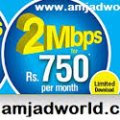
International calls
Service Provider/Plan Link
Enter the URL of the service provider web site or to the web page of the service plan starting with http.
Cleartalking Q&A
Location (Service or Device used)
Country
Enter the country in which service was used.
State, Province or Region
Enter the State, Province or Region in which the service is used. Type for suggestions if the state you want to enter was already added by someone.To add a new state or province, type the name in the box and click 'Add' button. It will be added below the box and highlighted as 'selected' in black. Selected State/Province/ Region will be highlighted only below the box in black, which will not be directly displayed inside box.
City/Town/Village
Enter the city, town or village in which the service is used. Type for suggestions if the city you want to enter was already added by someone.
To add a new city, type the city name in the box and click 'Add' button. It will be added below the box and highlighted as 'selected' in black. Selected city will be highlighted only below the box in black, which will not be directly displayed inside box.
Location
Enter only the nearest major intersection, road, or landmark where the reviewed service is used. DON'T enter postal mailing address. Post will not be approved if the actual address is entered. CLICK the current location symbol at the end of the text box to enter your current location.
Postal Code
Telecom Services
Z
zakanjoo34
Updated
May 07, 2018
1062 0 0 0
Service Information
Service Type
Select appropriate service type from the list. You can select more than one service type.
Service Provider
Select service provider from the list or enter a new service provider that is not listed using 'Add' button. Once you add a service provider, it'll be listed as an option to select in the drop down.
Service Package/Plan
Enter the package or plan of the service provider that you have used and want to review. Type for suggestions if the service plan you want to review was already added by someone, which you can select and review for your location.
To add a new service plan, type the plan details in the box and click 'Add' button. It will be added below the box and highlighted as 'selected' in black. Selected option will be highlighted only below the box in black, which will not be directly displayed inside box.
4MB
Service Provider/Plan Link
Enter the URL of the service provider web site or to the web page of the service plan starting with http.
Cleartalking Q&A
Location (Service or Device used)
Country
Enter the country in which service was used.
State, Province or Region
Enter the State, Province or Region in which the service is used. Type for suggestions if the state you want to enter was already added by someone.To add a new state or province, type the name in the box and click 'Add' button. It will be added below the box and highlighted as 'selected' in black. Selected State/Province/ Region will be highlighted only below the box in black, which will not be directly displayed inside box.
City/Town/Village
Enter the city, town or village in which the service is used. Type for suggestions if the city you want to enter was already added by someone.
To add a new city, type the city name in the box and click 'Add' button. It will be added below the box and highlighted as 'selected' in black. Selected city will be highlighted only below the box in black, which will not be directly displayed inside box.
Location
Enter only the nearest major intersection, road, or landmark where the reviewed service is used. DON'T enter postal mailing address. Post will not be approved if the actual address is entered. CLICK the current location symbol at the end of the text box to enter your current location.
Postal Code